More suggestions for free learning websites

FREE online education resources

Khan Academy
https://www.khanacademy.org
Especially good for maths and computing for all ages but other subjects at Secondary level. Note this uses the U.S. grade system but it’s mostly common material.

BBC Learning
http://www.bbc.co.uk/learning/coursesearch/
This site is old and no longer updated and yet there’s so much still available, from language learning to BBC Bitesize for revision. No TV licence required except for content on BBC iPlayer.

Futurelearn
https://www.futurelearn.com
Free to access 100s of courses, only pay to upgrade if you need a certificate in your name (own account from age 14+ but younger learners can use a parent account).

Openlearn
https://www.open.edu/openlearn/
Free taster courses aimed at those considering Open University but everyone can access it. Adult level, but some e.g. nature and environment courses could well be of interest to young people.

Blockly
https://blockly.games
Learn computer programming skills – fun and free.

Scratch
https://scratch.mit.edu/explore/projects/games/
Creative computer programming

Ted Ed
https://ed.ted.com
All sorts of engaging educational videos

National Geographic Kids
https://www.natgeokids.com/uk/
Activities and quizzes for younger kids.

Duolingo
https://www.duolingo.com
Learn languages for free. Web or app.

Mystery Science
https://mysteryscience.com
Free science lessons

The Kids Should See This
https://thekidshouldseethis.com
Wide range of cool educational videos

Crash Course

Home


You Tube videos on many subjects

Crash Course Kids
https://m.youtube.com/user/crashcoursekids
As above for a younger audience

Crest Awards
https://www.crestawards.org
Science awards you can complete from home.

iDEA Awards
https://idea.org.uk
Digital enterprise award scheme you can complete online.

Paw Print Badges
https://www.pawprintbadges.co.uk
Free challenge packs and other downloads. Many activities can be completed indoors. Badges cost but are optional.

Tinkercad
https://www.tinkercad.com
All kinds of making.

Prodigy Maths
https://www.prodigygame.com
Is in U.S. grades, but good for UK Primary age.

Cbeebies Radio
https://www.bbc.co.uk/cbeebies/radio
Listening activities for the younger ones.

Nature Detectives
https://naturedetectives.woodlandtrust.org.uk/naturedetectives/
A lot of these can be done in a garden, or if you can get to a remote forest location!

British Council
https://www.britishcouncil.org/school-resources/find
Resources for English language learning

Oxford Owl for Home
https://www.oxfordowl.co.uk/for-home/
Lots of free resources for Primary age

Big History Project
https://www.bighistoryproject.com/home
Aimed at Secondary age. Multi disciplinary activities.

Geography Games
https://world-geography-games.com/world.html
Geography gaming!

Blue Peter Badges
https://www.bbc.co.uk/cbbc/joinin/about-blue-peter-badges
If you have a stamp and a nearby post box.

The Artful Parent
https://www.facebook.com/artfulparent/
Good, free art activities

Red Ted Art

Home Page


Easy arts and crafts for little ones

The Imagination Tree
https://theimaginationtree.com
Creative art and craft activities for the very youngest.

Toy Theater

Education Games


Educational online games

DK Find Out
https://www.dkfindout.com/uk/?fbclid=IwAR2wJdpSJSeITf4do6aPhff8A3tAktnmpaxqZbkgudD49l71ep8-sjXmrac
Activities and quizzes

Twinkl
https://www.twinkl.co.uk
This is more for printouts, and usually at a fee, but they are offering a month of free access to parents.

Good Morning 6H

Morning everyone,

I hope you are all okay on what seems to be a very strange Monday morning – one of my dogs keeps looking at me as if to say, ‘Why on earth are you still here?’ – The other is still snoring upstairs.

The daily check-in for our class and your learning are both accessible through our Google Classroom.  I put a post on here last night to remind you how to do this.

Have a great day and I look forward to reading the work you submit.

I miss you all and hope to see you as soon as is possible.

Mrs H x

Good morning 6B!

Your work has been added to google classroom for this week. Please complete the feelings check in between 8:30 and 9:30.
Joe Wicks is on at 9am should you wish to get your exercise in!

There will be one maths, one literacy and one expedition added each day for you all to complete.

I am based in school and therefore, I will be replying to messages as quickly as I can.

Please stay safe and keep in touch, I am missing you! I can’t wait to hear how you have got on with today’s learning.

-Miss Blackham

Can you remember how to access the work?

I hope you’re all well. In preparation for what I am sure is going to be a strange few weeks ahead, I thought I’d pop a reminder on here of how to access Google Classroom and complete your work through it..

First open up Google chrome (preferrable) or microsoft edge.

Search for ploverschool.co.uk and go to the school website.

Click on the green login button – top righthand corner.

In the username box, type in your email address (like you would when logging in on a chrome book).

In the password box, type the same one as when logging into a chrome book – unless you have already changed it that is!

Click on the green rectangle, outlined in yellow, with a person icon on it.

f you have not been on before our code is

nwoql63

This should give you access to our online classroom.

Click on 5K – 2019/2020.

Here you will see our class comments stream – give it a read. There may be some useful tips from your crew mates on it

Let your friends know please.

Morning 5K,

Could you let your friends know that I have posted them some work and would like it completing? I thought this morning we did not see some people and they may not know.

I have posted some work and a check in sheet for you. The check in sheet just needs a x in a column to say how you are feeling. You can leave a comment or message me. I am angry today as I have cold! Everyone is keeping away from me when I blow my nose [probably because I sound like a fog horn!]. Don’t forget to complete your daily tasks and send them to me. You can always complete Read Theory too as well as TT Rockstars. Can anyone beat Coby?

Ready for Google Classroom?

Evening everyone,

I hope you’re all well.  In preparation for what I am sure is going to be a strange few weeks ahead, I thought I’d pop a reminder on here of how to access Google Classroom and complete your work through it..

First open up Google chrome (preferrable) or microsoft edge.

Search for ploverschool.co.uk and go to the school website.

Click on the green login button – top righthand corner.

In the username box, type in your email address (like you would when logging in on a chrome book).

In the password box, type the same one as when logging into a chrome book – unless you have already changed it that is!

Click on the green rectangle, outlined in yellow, with a person icon on it.

This should give you access to our online classroom.

Click on 6H – 2019/2020.

Here you will see our class comments stream – give it a read.  There may be some useful tips from your crew mates on it.

Click on the classwork tab at the top.

Here are all of the lesson slides and resources you will need for the day, as well as your daily check-in chart. The English and Maths slides have been prepared for the full week but the individual days have also been identified on the slides.

To complete a task:

First, click on your required task.  Then click on the short cut which will pop up for this task.  Leave this tab open but click back onto the ‘Classwork’ tab. Then on ‘View Assignment’.  On the left you should see a ‘+ Add or create’ option, click on this. Select ‘create new google doc’. This will be your answer sheet. Complete your work on this page.  When your work is complete, click on the ‘Turn In’ button followed by ‘Hand In’ if you are certain you are ready for it to be marked.

Dont forget you can email me or drop comments on our class stream if you want to.

Mrs H

What a shock!

Wow! What a week! I know you are all as shocked as I am with the decision to close school to all except key workers children.

I can probably predict your children are thinking they don’t have to work however we will be setting work on line for them to complete. If they go to the school website and click on the green square it will take them to google classroom where there is work set for them as well as a daily check in sheet.


I look forward to hearing from you all 5K – you cam always message me if there is a problem.


Thank you year 5 & 6!

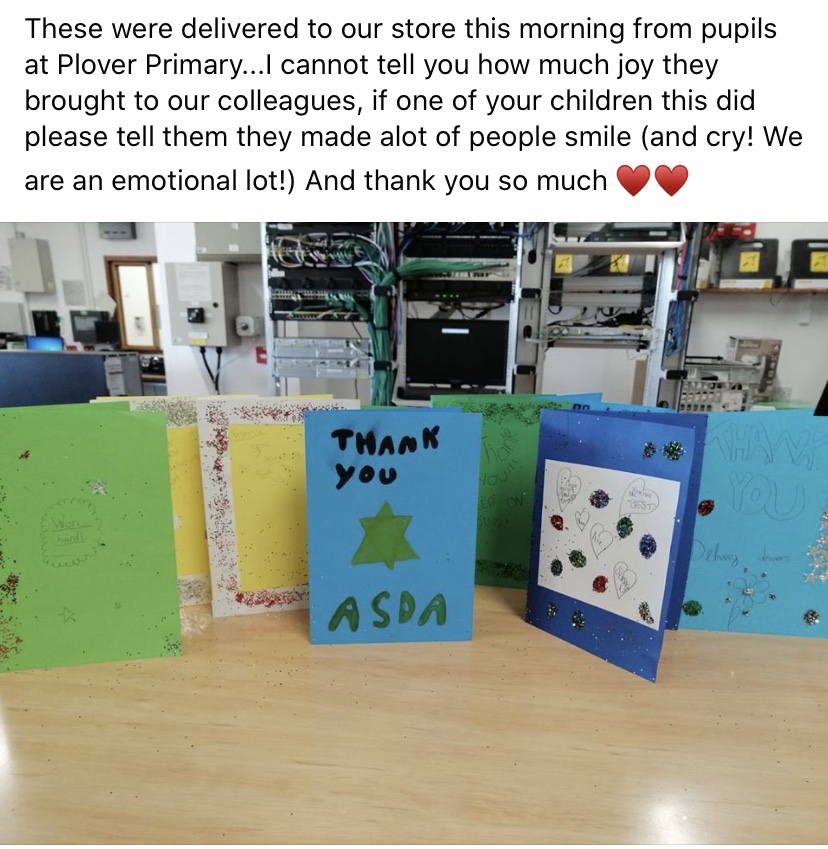
The staff and delivery drivers from Asda wanted to say a huge thank you for the cards of thanks and encouragement to keep going. We have more cards on the way to residents in care homes in self isolation and to the NHS staff. I am so proud of you all for thinking of others and being so kind in such an uncertain time for all. Stay safe everyone and keep checking our blog! We hope to see you all very soon!

Shout out to Rubes!

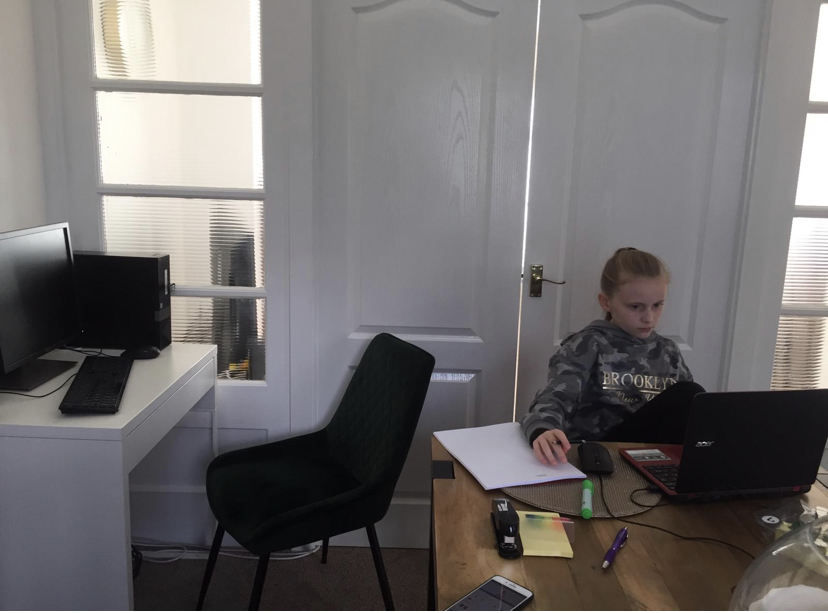
A shout out to Ruby for being learning ready! I can’t wait to hear all about your learning! Please keep the pictures of your fabulous learning coming! I’m missing you all!

Google Classroom Pupil Guide

Google Classroom is an exciting piece of software that allows us place learning online!

In order to help the children access this easily, Mrs Graves has prepared a document that will help the children get on to Google Classsroom!

Please click on the link below

Pupil Step-by-step Guide to Accessing Google Classroom from Home